
Your club has a small library of templates. Build them once and new tournaments are set up in seconds.
Blind structure
The levels of blinds and antes, in order, and how many minutes each level runs. The default is a 12-level progression you can edit freely — add levels, change lengths, insert breaks.
It is worth making two: a fast one for weeknights and a longer one for when you have time.
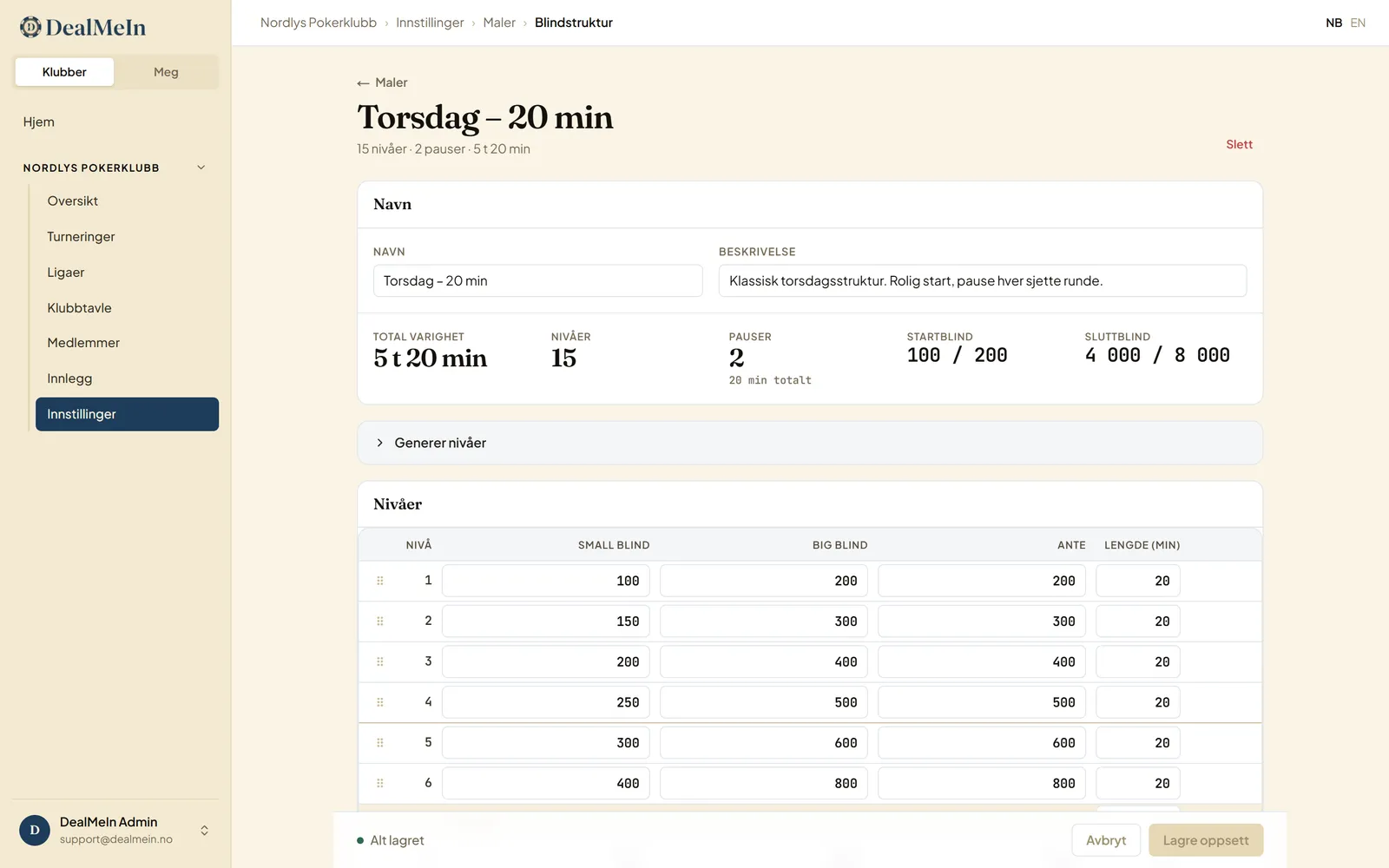
Breaks are rows of their own. Level numbers only count the playing levels, so a break never eats a number. Put the break where the rebuy window closes — see Blind structures for home poker for how to pick levels and antes.
Generate levels
If you would rather not type the table, Generate levels builds a whole structure: you pick a starting blind, a speed, the number of levels, minutes per level, and a break every so many levels. The blinds follow a fixed ladder of numbers people actually use — 25/50, 50/100, 75/150, 100/200 and up. Standard climbs one rung per level, Turbo two. The ante is set equal to the big blind on every level; set it to 0 where you don’t use antes.
Generating replaces every level in the table, but nothing is saved until you press Save, and you can edit the result freely afterwards.
Timer setup
The name is misleading: the clock isn’t here. This is everything about stakes and chips — buy-in and starting stack, how many players fit at a table, the club cost, extras like rebuys, add-on and mystery bounty, and the prize split. Each is explained in Set up templates and Set up a tournament.
Playing without stakes? Set the buy-in to zero and play on points.
Club cost
A share of the pot can be set aside for the club’s shared expenses — cards, chips, the venue. Choose none, percent of the pot or a fixed amount per buy-in. The amount comes off the pot before prizes and any bounties are worked out, and the calculation is shown when the tournament is finalized, so nobody wonders where the money went.
The cost is meant to cover real expenses. As always, the app only records the numbers — money moves outside the app.
Bonus chips
Extra chips on top of the starting stack, for the people who turn up on time, say. You set the size here and hand the bonus to individual players, or to everyone, on the tournament when it starts. The bonus only affects chips on the table — not the buy-in or the pot.
Room display
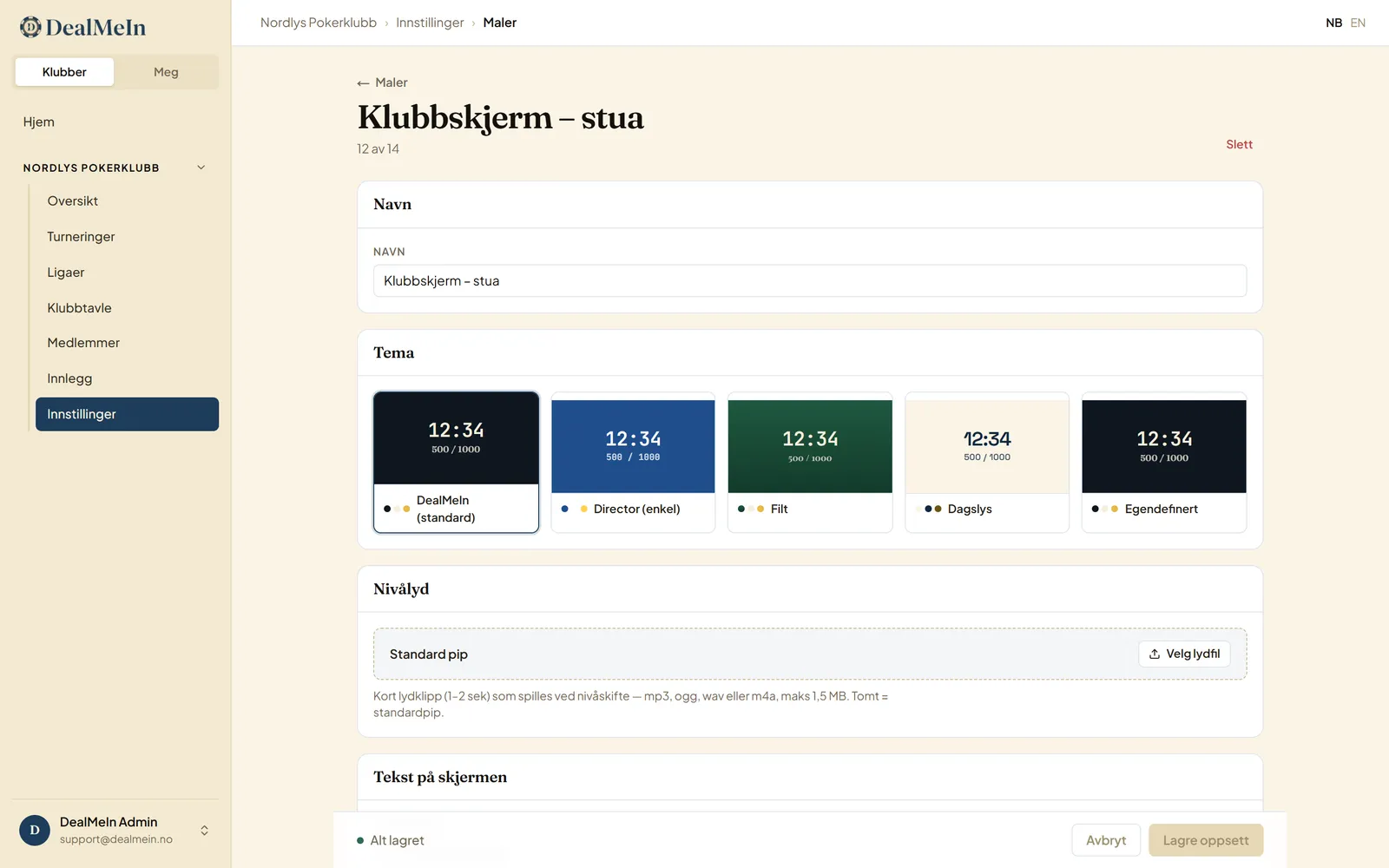
If you are putting the tournament on a TV or a screen in the room, you choose what appears: clock, blinds, prize pool, players left, average stack, seating chart. The clock is always included.
Side panel or grid
Two ways to lay the content out. Side panel shows the clock large with the chosen fields as a list beside it — you pick which fields are included, and their order here is their order on the screen. Grid lets you drag each element where you want it and drag the gold corner to resize, so the screen can look exactly the way you like.
Theme
Pick a ready-made theme, or make your own with Custom — your own colours, corners, borders and font. The custom theme is a Premium feature: without Premium you cannot pick it, and if a template already has it, it switches to the default theme the next time the template is saved. The colours you set stay stored and come back if the club gets Premium again.
Level sound
A short clip played when the clock changes level — mp3, ogg, wav or m4a, at most 1.5 MB. Without a clip of your own a standard beep is used.
Text on the screen
A heading and an info line shown on the screen, for example the club’s name and “Next break after level 6”. The texts follow the template into the tournament, and can be changed on the tournament’s own setup without touching the template.
Templates are frozen into a tournament
This is worth understanding: when you create a tournament, the templates you picked are frozen into it. Editing the template afterwards only affects future tournaments — a tournament already set up keeps its own copy.
That means two things:
- You can safely tidy your templates mid-season without changing anything already planned.
- To change something on a tournament that already exists, edit it on the tournament itself. That applies to that tournament only, and leaves the club library untouched.