
Getting people in
Two ways, and they work fine side by side.
Invite by email
Press Invite by email on the members page and paste one or more addresses, separated by commas or line breaks.
- If the address already has a DealMeIn account, that person becomes a member right away and gets an email saying so.
- Otherwise the address gets an email with a personal link. If they create an account with that same address — in the app or on the web — the membership activates automatically, with nothing to press. The link also works for people who would rather sign in with Google or Apple.
Invitees show in the member list under Invited until they join. From there you can resend or remove the invite. An invite is valid for 30 days and can be sent at most five times.
If someone uses Apple’s “Hide my email”, the address won’t match — then it’s the link in the email that gets them in.
Share the invite link
Copy the invite link from the members page — usually straight into the group chat. Anyone who opens it becomes an active member immediately, with no approval step from you. No account yet? They create one right there and land in the club afterwards.
If the club is set to public, players can also find it themselves under Find clubs in the app.
The link has no limit of its own: anyone who gets hold of it is in. Share it where you want people, not wider.
Roles
Five roles, from most to least:
- Owner — one per club. Can do everything, including transferring ownership, deleting the club and connecting the club’s own email account.
- Admin — handles the club day to day: approves and removes members, sets roles and nicknames, edits club info, PIN and invite link, sends club email and moderates posts. Can override a locked league structure.
- Tournament director — creates and runs tournaments, finalizes them, and sets up leagues, templates, room displays, notification defaults and the scoreboard. Does not see members’ email addresses.
- Recruiter — can invite by email and share the invite link, otherwise a member.
- Member — plays, signs up, sees results and the scoreboard, and writes posts.
Nobody can change the owner’s role or their own. Role management requires Premium. Without it the club works fine, but everyone new arrives as a member.
The member list
The owner and admins see each member’s email address in the list, and can search by it. Other members see names, roles and status, never the addresses.
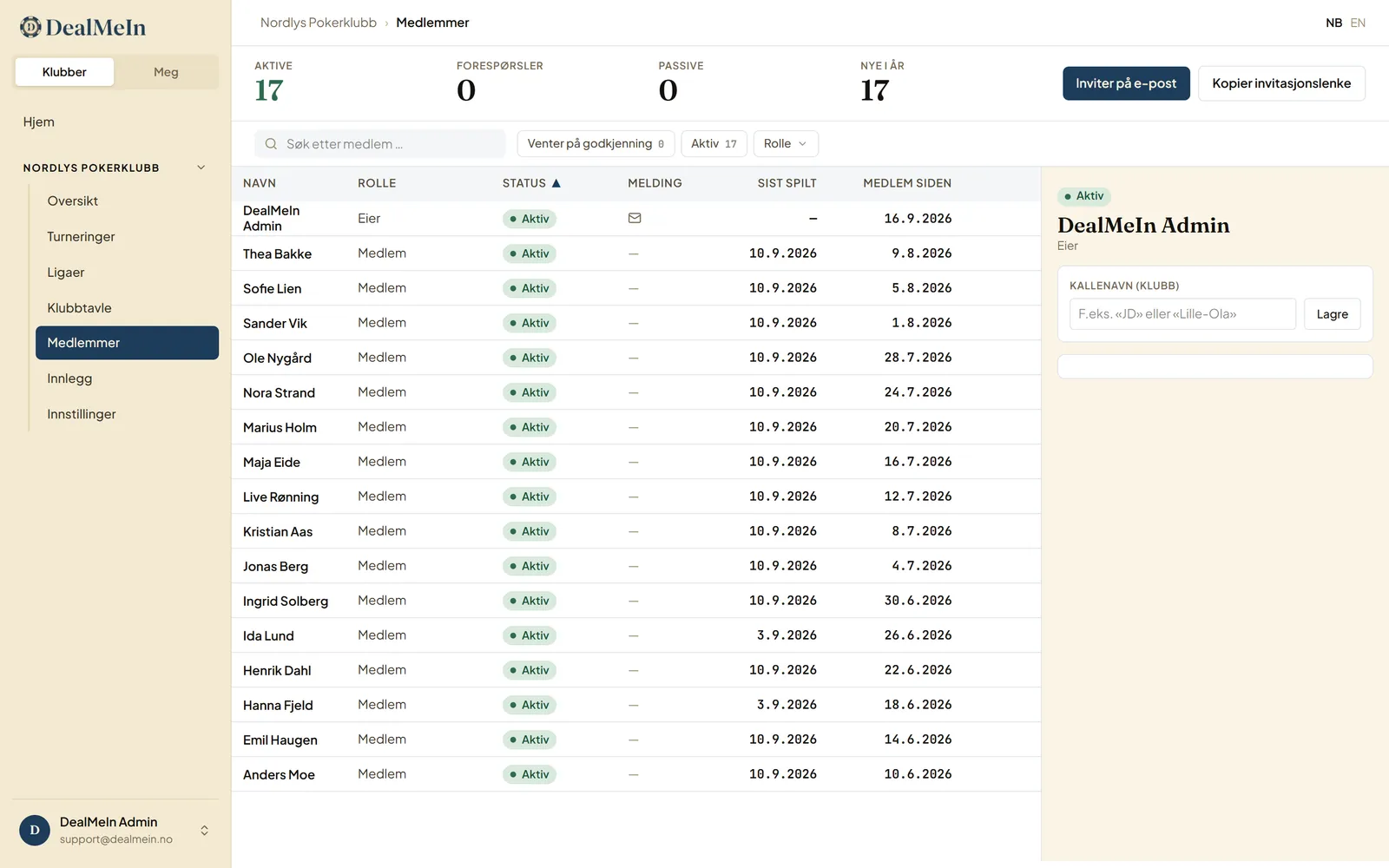
Click a member to open the panel on the right. Besides role and nickname it shows:
- how many tournaments they have played in the club, with wins and top-3 finishes
- their latest results, and when they last played
- which tournaments they are signed up for right now
- whether club email and push notifications reach them. “Off for this club” or “Off in their profile” means the member turned it off themselves.
Nicknames
You can give each member a nickname — “JD”, “Little Ola” — shown instead of their full name at the table and on the board. Useful when three of them are called Anders.
Removing someone
Two different things:
- Remove — the member loses access, but the row stays as history. Their results still stand.
- Delete — removes the row entirely. Cannot be undone.
Remove is almost always the right one. Delete is for rows that should never have existed.
Transferring ownership
If someone else is taking over the club, transfer ownership from the members page. You become an admin and they become the owner. Only the new owner can reverse it — so be sure.
Note too: you must transfer ownership before you can delete your own account.
How many can join
Free clubs hold 20 members. Premium unlocks more. If you drop back from Premium the club keeps everyone already in it — only new growth is blocked.